
What this server is
This is the shared world for the A1 class. It keeps the vanilla gameplay rules, but adds:
- Custom terrain, dungeons and structures that feel like “better vanilla”
- Comfort features (homes, claims, better Elytra, tree/ore helpers)
- A clean client experience with a minimap, world map, recipe viewer and performance mods
The goal is a nice place to play, explore and build together – not a sweaty PvP server.
Install & join
1. Install the client pack
- Install the Modrinth App: https://modrinth.com/app
-
Download the A1 modpack:
A1.Server.1.8.0.mrpack - Open the
.mrpackfile with the Modrinth App. - In Modrinth, select the new A1 profile and click Play.
2. Add the multiplayer server (if needed)
- The server should already be there, but proceed to the next step if it’s not.
- From the Minecraft main menu, go to Multiplayer → Add Server.
- Paste
a1mcs.totob12.comas Server IP. - Save and join.
The modpack should have added the server in the multiplayer list automatically..
3. Basic recommended settings
Performance
- Play with 8-10 chunk render distance and let Distant Horizons handle further terrain.
- If FPS is low, turn shaders off and then try lighter options like Vanilla Plus or Sildur’s Lite.
- All the heavy lifting is done by Sodium, Lithium, FerriteCore etc. (already included in the pack).
Quality of life
- Check your keybinds under Options → Controls → Key Binds.
- Enable/disable the minimap and world map in the Xaero’s settings.
- Configure Zoomify if you want a different zoom key or zoom level.
World & exploration
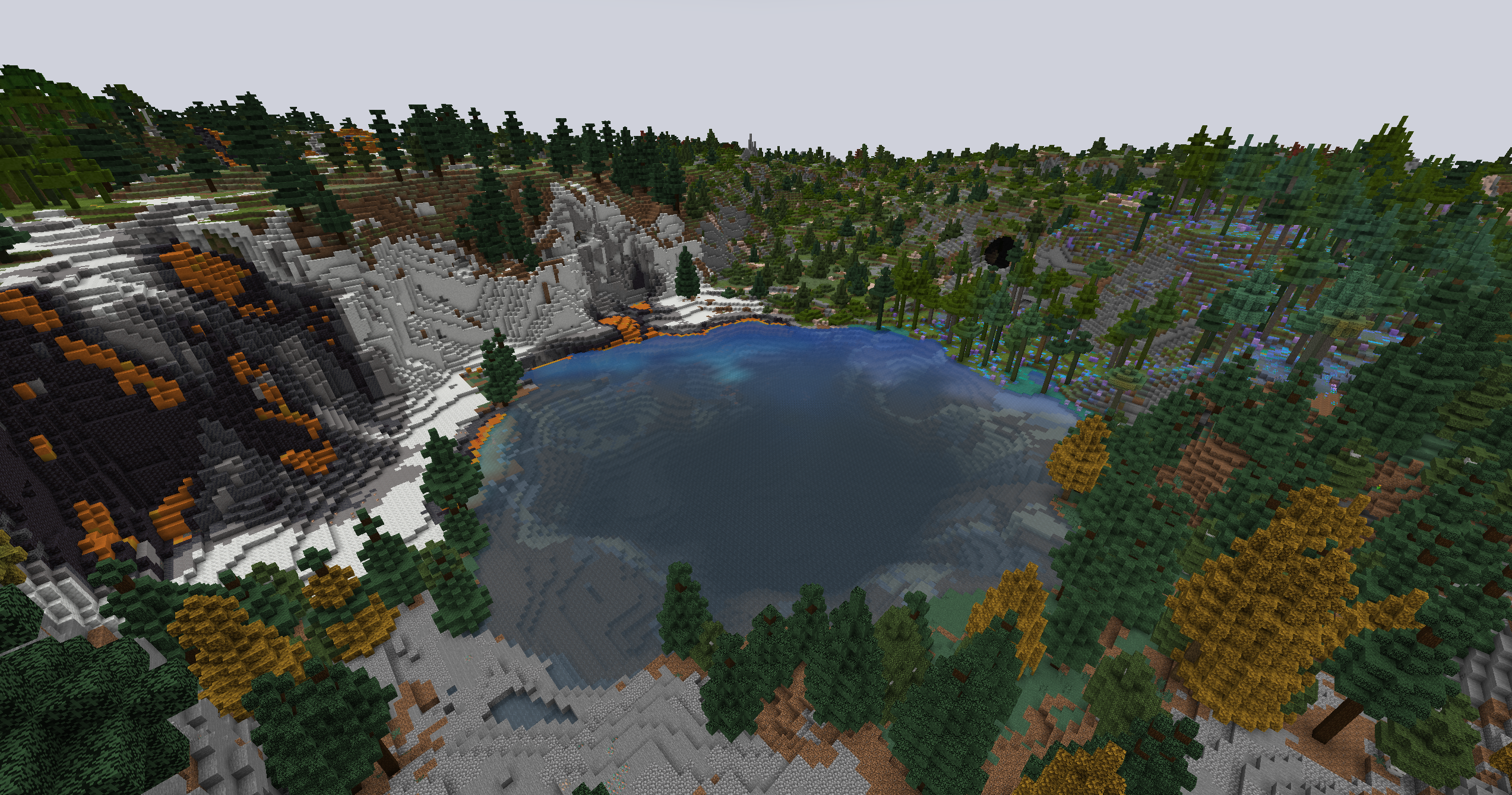
The world is generated with a set of “better vanilla” worldgen mods (Terralith, YUNG’s structures, Explorify, formations, etc.). You’ll recognise all the blocks, but the terrain is a lot more varied.
Overworld
- Large mountain ranges, cliffs and coastlines instead of standard plains everywhere.
- Many new biomes with different shapes and colours while still feeling like part of vanilla.
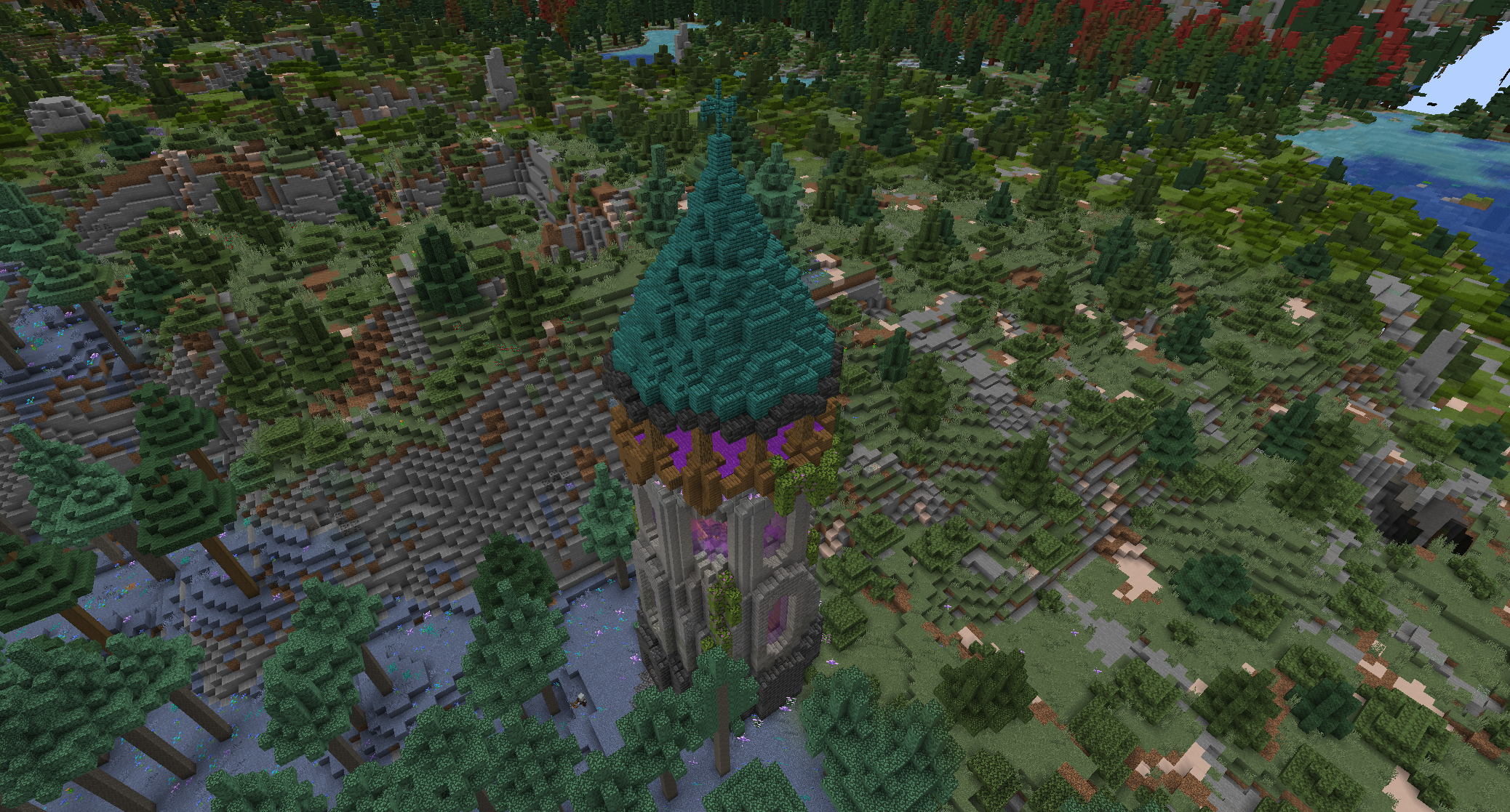
- Reworked villages and small structures scattered around, plus custom formations like pillars, spikes and caves.
Nether & End
- Nether fortresses and bridges are expanded and more complex.
- End islands are less empty, with more interesting shapes and structures.
- Dungeons and other structures from YUNG’s and Explorify are integrated into both dimensions.
Maps & navigation
-
Minimap (Xaero’s):
- Z – enlarge minimap (by default)
- Y – minimap settings
-
World map (Xaero’s):
- M – open the full-screen map
- Supports waypoints and integrates with claims.
-
BlueMap (browser) – 3D map you can view outside the game:
http://132.145.191.138:8101/ - Distant Horizons – level-of-detail terrain rendering so you can see far-away mountains without killing your FPS.
Survival & quality of life
Survival is still survival: you mine, build, fight mobs and die in lava. The mods here mostly remove annoyances and smooth out early-game progression.
Homes, teleports & claims
-
Homes (Blossom Homes + Essential Commands):
/sethome <name>– save your current position./home <name>– go back to that spot./homes– list your homes./spawn– go to the main spawn.
-
Teleport requests (if enabled in config):
/tpa <player>– ask to teleport to a friend./tpahere <player>– ask a friend to come to you.
-
Open Parties & Claims – for protecting builds:
/openpac-parties– configure or join a party./openpac-claims– claim chunks for your party.- Claims show up directly on Xaero’s World Map.
Simple way to claim land
- Run
/openpac-partiesand create or join a party. - Stand in the area you want to protect and press M for the world map.
- Use the claim tools in the OpenPAC UI to claim chunks around your base.
- Keep claim sizes reasonable so there is space for everyone.
Building & resource helpers
- Tree Harvester – chopping the bottom block of a tree (often while sneaking) can automatically break the whole tree. If it feels too aggressive, try chopping without sneaking.
- Ore Harvester – mine one ore block while crouching to break the whole connected vein at once. The drops appear where you started.
- OmniCut – the stonecutter works with more things: logs, wood and copper blocks become stairs, slabs and other shapes directly in the cutter.
- KleeSlabs – allows you to break just the top or bottom half of a double slab, depending on where you aim.
Exploration & movement
- Bottled Air – bring some glass bottles when diving; you can refill your air underwater.
- Healing Campfire – standing near a campfire slowly heals you.
- Easy Elytra Takeoff, Elytra Autopilot and Do a Barrel Roll – easier takeoff from flat ground, smoother flight, and extra Elytra manoeuvres.
- Better Mount HUD – while on a horse or other mount, you see your own hunger and the mount’s health clearly.
- Infinite Trading – villagers don’t permanently lock trades after a handful of uses, so long-term trading halls remain usable.
Client UI & mods (your side)
The Modrinth pack is mostly client-side. It doesn’t give you unfair advantages; it just makes information clearer and improves performance.
HUD & information
- BetterF3 – cleaner F3 debug screen with grouped info. Use F3 as usual.
- Jade – shows a small tooltip with the block/entity you are looking at (name, mod, container contents, growth stage, etc.).
-
JEI (Just Enough Items) – recipe viewer:
- R on an item – show recipes.
- U on an item – show uses.
- Ctrl + O – toggle the item list.
- Better Statistics Screen – replaces the vanilla statistics menu with a searchable, filterable version.
- Better Ping Display – shows your ping as a number in the player list.
- Chat Heads – a small player head is shown next to each chat message.
- More Chat History – you can scroll further back in chat.
Visual
- Iris + Shaders – shader loader. Several packs are already included (BSL Classic, Complementary Unbound, Sildur’s Lite, Vanilla Plus).
- LambDynamicLights – held torches and other light sources emit light around you.
- Sound Physics Remastered – sound behaves more realistically (echo, muffling).
- Planetarium – improved skybox and stars.
- Mandala’s GUI – Dark – cleaner dark menus.
Navigation & tools
- Xaero’s Minimap & World Map – always know where you are and where your friends’ bases are (within what they share / what you discover).
- Zoomify – hold C (by default) to zoom in like a spyglass.
- Mouse Tweaks – better inventory control: drag to move many items, scroll to move stacks, etc.
- Fabrishot – take very high-resolution screenshots of your builds.
- Open Parties & Claims (client) – provides the UI and overlays for the party/claim system.
Chat & safety
- No Chat Reports – removes Microsoft’s in-game chat reporting signatures from the server and client.
- Chat Reporting Helper – small helpers in the UI to clarify chat security state.
Performance
Mods like Sodium, Lithium, FerriteCore, ImmediatelyFast, More Culling, Entity Culling, ModernFix and Dynamic FPS are bundled to keep things smooth without you having to configure them.
Basic commands & keybinds
This section lists the most important things regular players can use. If a command doesn’t work, it might simply be disabled; operators-only commands are not listed here.
Commands
| Command | What it does | Notes |
|---|---|---|
/sethome <name> |
Create a home. | Example: /sethome base, /sethome mine. |
/home <name> |
Teleport to a home. | Use the names you used with /sethome. |
/homes |
List your homes. | Useful if you forget which names you used. |
/spawn |
Go back to spawn. | Good “panic button” if you’re lost. |
/tpa <player> |
Request to teleport to someone. | The other player has to accept the request. |
/tpahere <player> |
Ask someone to teleport to you. | Again, they have to accept. |
/openpac-parties |
Open party menu. | Create/join a party to share claims. |
/openpac-claims |
Claim management. | Use this to protect your base. |
Useful keybinds (default)
| Key / action | Mod | What it does |
|---|---|---|
| M | Xaero’s World Map | Open the full world map. |
| Z | Xaero’s Minimap | Temporarily enlarge the minimap. |
| Y | Xaero’s Minimap | Minimap settings. |
| C | Zoomify | Zoom in (like a spyglass). |
| R over an item | JEI | Show how to craft that item. |
| U over an item | JEI | Show what recipes use that item. |
| F3 | BetterF3 | Open the improved debug overlay. |
| Shift + right-click armor stand | Armor Poser | Open the pose editor for that armor stand. |
| Right-click item frame with glass pane | Invisible Frames | Toggle the frame visibility. |
| Mine ore while sneaking | Ore Harvester | Break the entire connected ore vein. |
| Chop tree (often while sneaking) | Tree Harvester | Chop the whole tree at once. |
All keybinds can be changed under Options → Controls → Key Binds. If something feels wrong or conflicts, just rebind it.
Help, issues & mod suggestions
The central place to talk about the server is the dedicated Minecraft channel on Discord:
A1 Minecraft channel on Discord
-
For issues (crashes, can’t connect, weird map glitches), include:
- Operating system (Windows/macOS/Linux)
- Your approximate FPS and ping
- Screenshot or crash log if there is an error window
-
For mod suggestions:
- Stick to Fabric 1.21.1.
- Think about whether it fits the “enhanced vanilla” vibe.
- Mention why it would be good for the class, not just for one person.
This page is meant to match how the server is actually configured. If something here is outdated or incorrect, ping the admin on Discord and it can be updated.